OS-Themed Portfolio
My personal portfolio but Operating System themed.
Overview
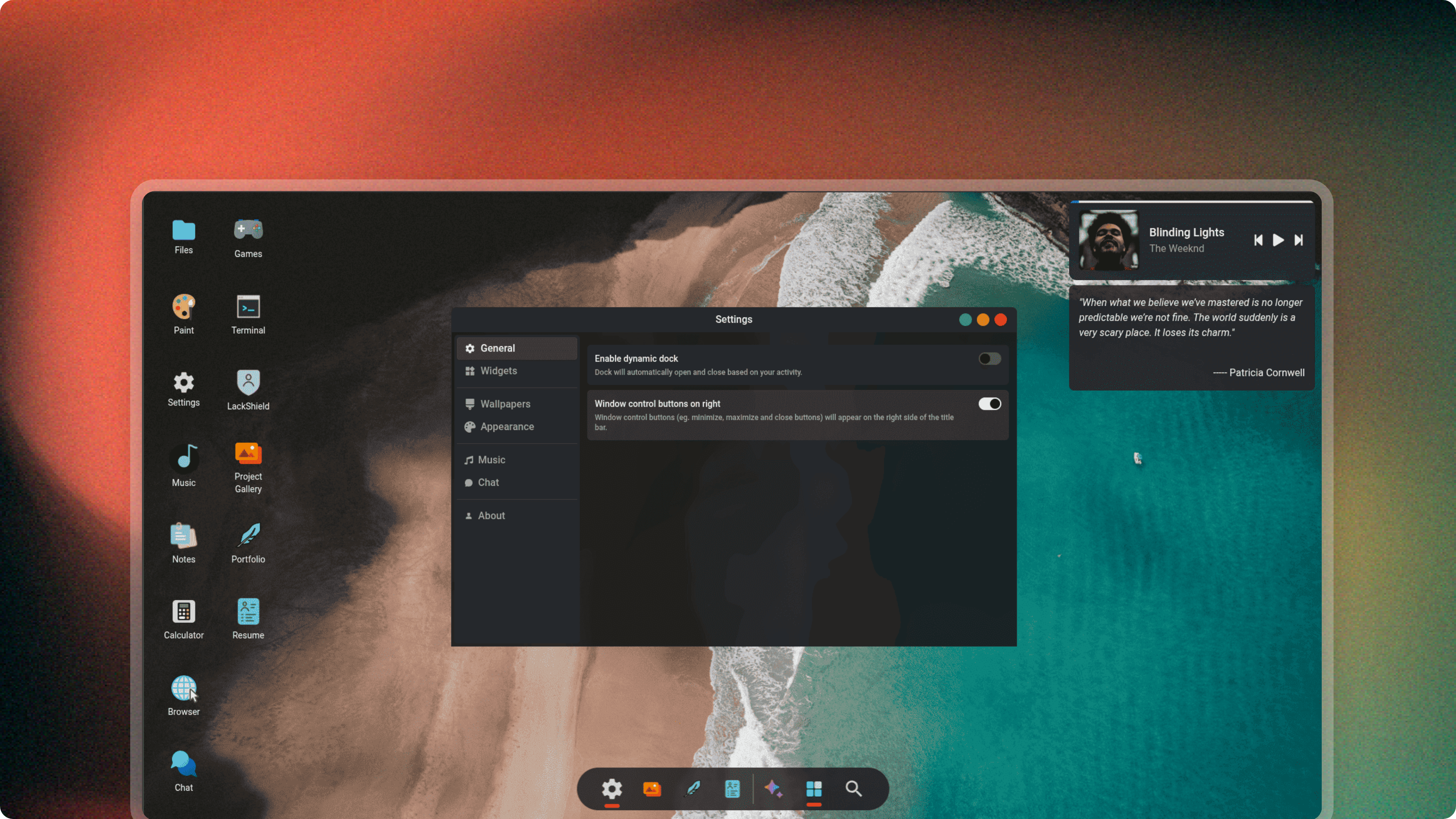
The OS-Themed Portfolio is my personal portfolio designed to behave like a desktop operating system rather than a traditional website.
Instead of static pages, the interface simulates an operating system environment with draggable windows, a taskbar, real-time widgets, and interactive applications.
The goal was to experiment with advanced UI interactions, complex state management, and real-time behaviors while maintaining a smooth and responsive user experience.
Problem
Most developer portfolios follow a similar structure: static sections with minimal interaction.
While effective, they rarely demonstrate real engineering creativity or interactive design capabilities.
I wanted to build a portfolio that:
- feels interactive and memorable
- demonstrates complex frontend architecture
- simulates a real desktop environment
- allows users to explore projects through applications rather than pages
The challenge was to recreate the behavior of an operating system within a browser environment.
Constraints
- Complex UI state – multiple windows, applications, and widgets must maintain independent state.
- Window management system – windows must support dragging, resizing, minimizing, and focus management.
- Smooth performance – animations and interactions should remain responsive.
- Real-time components – widgets such as clocks and music player must update dynamically.
- Limited music APIs – reliable public APIs for streaming metadata are scarce.
Key Engineering Decisions
Window management system
The interface is built around a window manager that tracks open applications, window focus, and window positioning.
Reason:
Simulating an operating system environment requires managing multiple application states simultaneously.
Tradeoff:
Managing window state and interactions adds significant frontend complexity.
Global state management using Zustand
Zustand was used to manage application state such as:
- open windows
- taskbar state
- active applications
- window stacking order
Reason:
Provides lightweight global state management without the boilerplate of larger state libraries.
Tradeoff:
Requires careful structure to avoid tightly coupled UI state.
Component-driven application architecture
Each “app” inside the OS is implemented as an isolated component.
Examples include:
- file explorer
- music player
- project viewer
- terminal
Reason:
Treating features as applications keeps the system modular and extensible.
Tradeoff:
Requires additional abstraction layers for app lifecycle and window management.
Self-hosted music API
Public music APIs were either unreliable or heavily restricted.
To enable the music player, I deployed a modified version of the JioSaavn API and hosted it myself.
Reason:
Provides consistent access to track metadata and streaming functionality.
Tradeoff:
Requires maintaining a custom API service.
Real-time UI updates
Certain UI elements such as widgets and the music player use real-time updates.
Reason:
Maintains the illusion of a live operating system environment.
Tradeoff:
Requires additional event handling and state synchronization.
Results
- Built a fully interactive OS-style portfolio interface.
- Implemented draggable and focusable application windows.
- Created modular “apps” inside the portfolio environment.
- Integrated a working music player using a self-hosted API.
- Delivered a smooth and responsive UI experience.
Takeaways
Building the OS-themed portfolio provided deeper insights into complex frontend architecture and interaction design.
Key lessons:
- Managing UI state across multiple interactive components requires strong architectural planning.
- Window management systems introduce unique interaction challenges.
- Modular application design improves extensibility in complex interfaces.
- Creative UI experiments can turn a simple portfolio into a memorable user experience.